A lot of generated games are too big before they are playable. They have a map, a quest list, a shop, a boss icon, and four currencies. Somehow the first thirty seconds still feel like walking through fog.
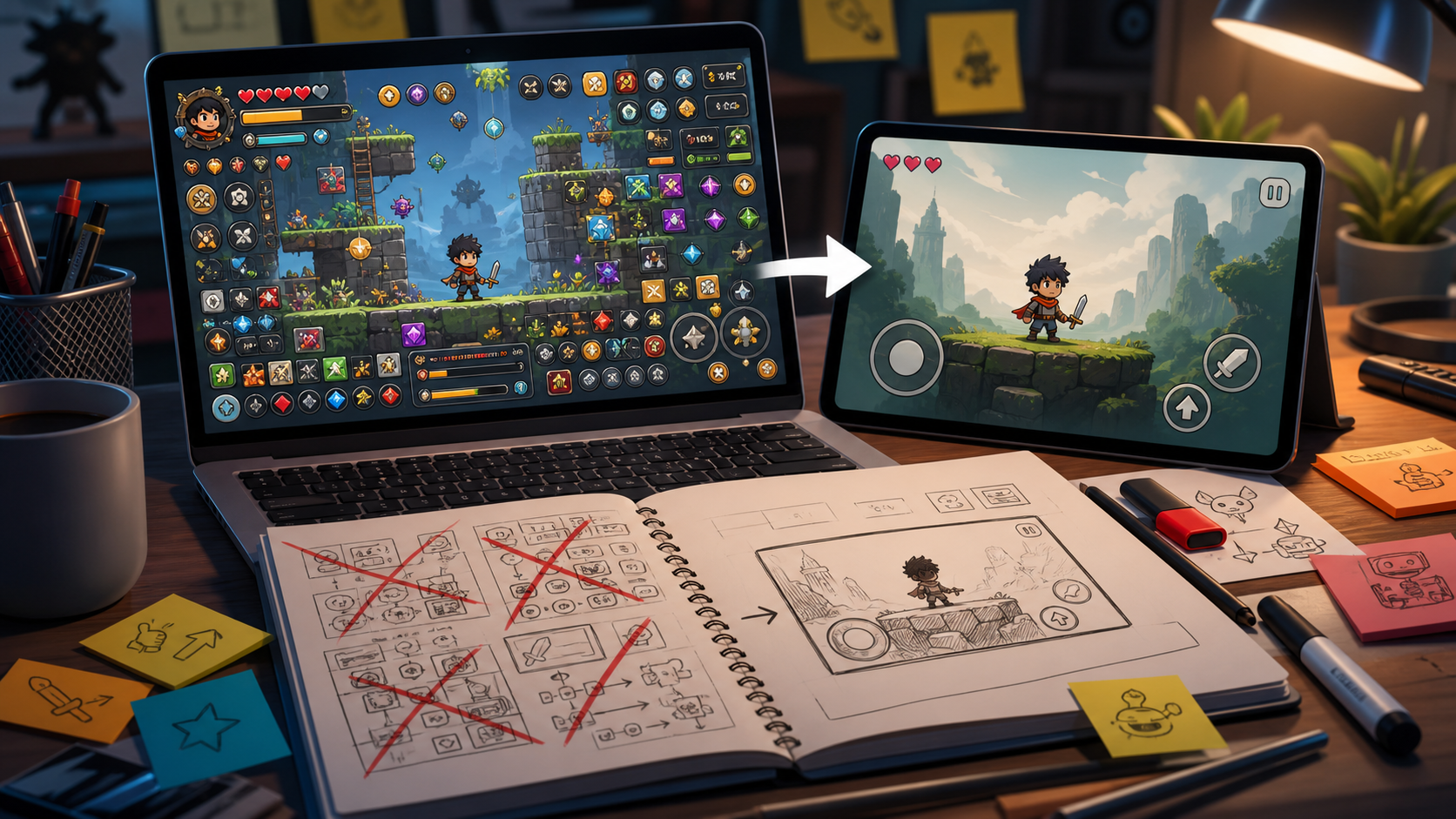
Shrink it. One screen is not a limitation at the start. It is a lie detector. If the idea works, one screen can show the player what matters, what hurts, what pays, and what changes.
This article is a prototype design note for creators making tiny browser games, AI-assisted drafts, and one-room tests. It avoids tool promotion and focuses on layout clarity.
Bitsy
A tiny game-making tool that keeps scenes small and readable.
PICO-8
A fantasy console that encourages compact arcade ideas and strict screen economy.
Construct
A visual game builder that works well for quick one-screen mechanical tests.
Godot
A flexible engine for turning a proven one-screen loop into a larger project.
The First Screen Has a Job
The first screen should answer four questions without a tutorial: where am I, what can I touch, what should I avoid, and why should I try again? If it cannot do that, more rooms will not help. More rooms will just multiply the confusion.
A one-screen prototype is not smaller thinking. It is faster honesty.
Second room
If the first room is not fun, the second room is mostly delay.
Keep it only if movement between rooms is the mechanic.
Inventory
Most first tests need one pickup, not a backpack.
A menu can hide whether the object is interesting.
Quest text
The screen should point the player before the NPC does.
Use text later to add tone, not to rescue layout.
One-Screen Test Rules
| Element | Question it answers | Failure sign |
|---|---|---|
| Player start | Where do I act from? | The player spawns facing nothing important |
| Goal object | What am I moving toward? | The goal blends into decoration |
| Threat | What changes my plan? | The threat can be ignored |
| Restart loop | Why try again? | Failure feels like waiting, not learning |
- The goal is visible without scrolling.
- The player can fail in under twenty seconds.
- Every object has a job.
- The safest path is not the most interesting path.
- A second attempt feels different from the first.
FAQ
Is one screen too small for a game prototype?
No. It is often the right size for testing the first interaction. Bigger spaces are useful after the loop works.
What should I put on the first screen?
Put the player, the goal, one threat, one reward, and one reason to retry. Everything else can wait.
When should I add more rooms?
Add more rooms when movement between spaces creates a new decision, not when the first screen feels empty.